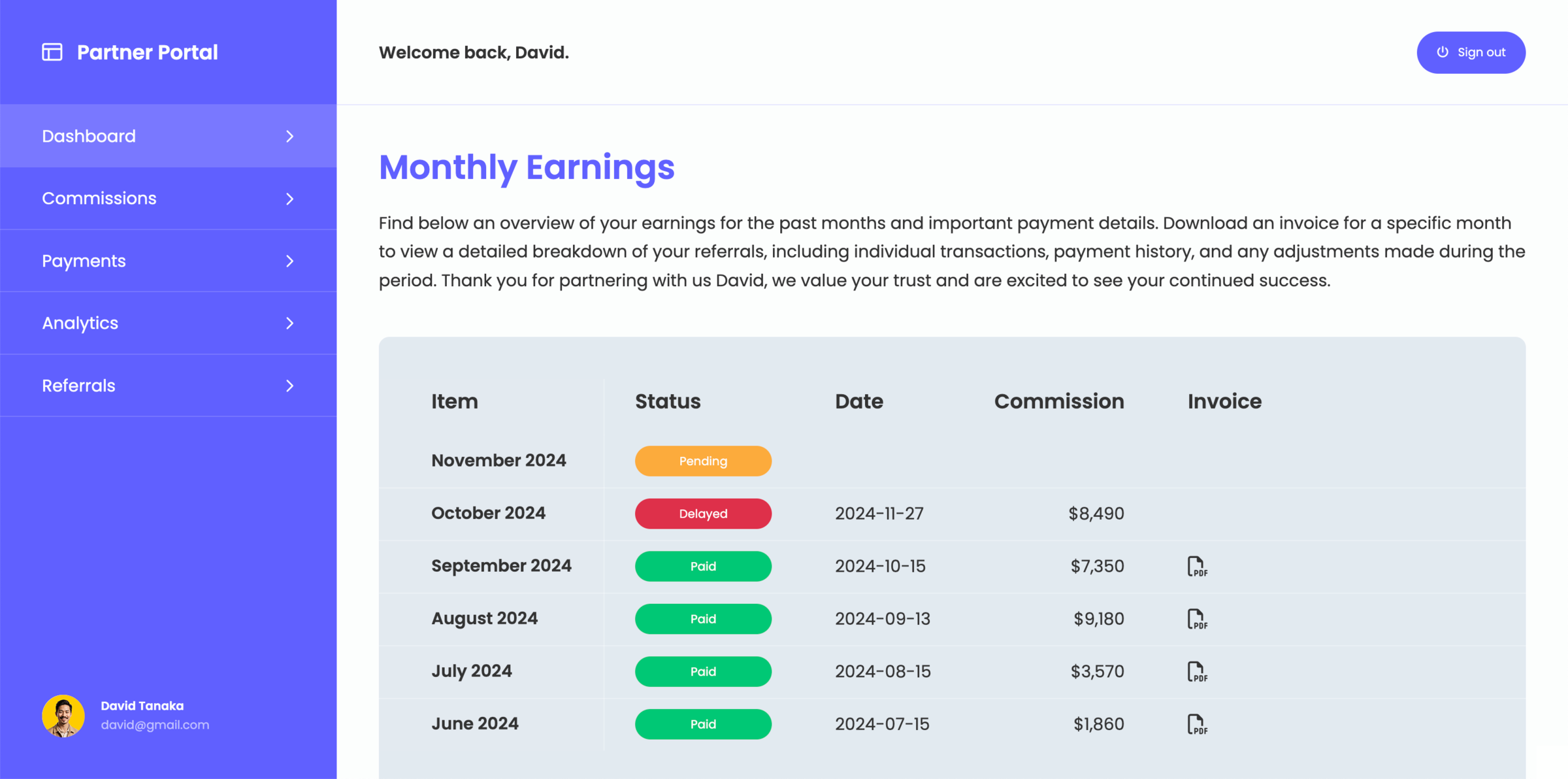

How to create a client portal

Creating a client portal is about giving clients structured access to the information
they need without relying on emails, shared documents, or manual updates.

This guide walks through how to plan, structure, and create
a client portal with monday.com step by step.

What should a client portal include?

Before building a client portal, it's important to define what clients need access to. A good client portal focuses on clarity and reduces the need for back-and-forth communication. Most portals include:

  • Project status and progress updates
  • Files, documents, and deliverables
  • Client communication and feedback
  • Tasks, timelines, or next steps

STEP 1

Define your client workflows

Start by identifying how you currently work with clients, this helps you define what your portal needs to cover. Think about the following and ask yourself:

  • What information do you share
  • Where communication happens
  • What clients ask for most often

STEP 2

Structure your data for external use

A client portal should not expose your internal setup directly. Instead, structure your data in a way that is easy for clients to understand. This usually means:

  • Show only relevant information
  • Hide internal and sensitive data
  • Keep everything focused

STEP 3

Define access and permissions

In a client portal you never want to expose information that's not relevant for clients, so not every client should see everything. A client portal should allow you to:

  • Control visibility per client
  • Limit access to relevant data
  • Keep internal workflows hidden

STEP 4

Create a client-friendly user interface

Instead of giving clients access to your internal tools, create a dedicated interface that presents information and data clearly and consistent. The goal is:

  • Simple navigation
  • Clear structure
  • Minimal friction

STEP 5

Keep the portal synced to your workflows

A client portal should stay connected with your internal processes and data, so clients always see the latest information in real-time. This ensures:

  • No manual updates
  • Always up-to-date information
  • Less operational overhead

Common challenges when creating a client portal

When building a client portal, these challenges usually appear when using tools that were not designed for external sharing:

  • Sharing too much internal data with clients
  • No clear structure for external users
  • Manual updates and duplicated work
  • Limited control over visibility and permissions

When you should consider to create a client portal

Creating a client portal becomes valuable and benefits your internal team as well es your clients or external users, when:

  • You work with multiple clients
  • You share updates frequently
  • You want to reduce repetitive communication
  • You need a structured way to share information

How to create a client portal with monday.com

If you are already using monday.com, you can build a client portal on top of your existing workflows. Instead of sharing boards directly or inviting clients as guests, many teams create a structured layer that controls how data is presented and accessed by clients.

This allows you to extend your established workflows externally without changing how your team works internally. See how a client portal for monday.com solution can be structured by exploring the public demo portal from a client's perspective.

By adding this structured layer, your monday.com workspace becomes the single source of truth, while clients access a simplified and controlled version of that data. To apply this effectively:

  • Select specific boards or data sources to share with clients
  • Filter items so each client only sees what is relevant to them
  • Hide internal columns and sensitive data
  • Organize information into clear, client-facing views
  • Enable interaction where needed (e.g. status updates, comments)

This approach keeps your internal workflows unchanged while giving clients a controlled and simplified experience.

Create your client portal directly on monday.com

Create a client portal that fits your workflow and share the right information with clients without changing how you work inside monday.com